Successfully added
Software Development
by Patrik
GitHub Copilot Coding Agent Explained
Instead of helping you one prompt at a time, GitHub Copilot Coding Agent works like an autonomous developer. You assign it a GitHub issue, and it independently implements the requested changes while you continue working on other tasks.
How does it work?
- Assign a GitHub issue to Copilot.
- The Coding Agent creates its own branch and starts a secure GitHub Actions environment.
- It analyzes the repository, writes the required code, runs tests and validation, and commits its progress.
- When finished, it opens a draft pull request containing the proposed solution, implementation details, and a summary of the changes.
- You review the code, provide feedback if needed, and decide whether to merge the pull request.
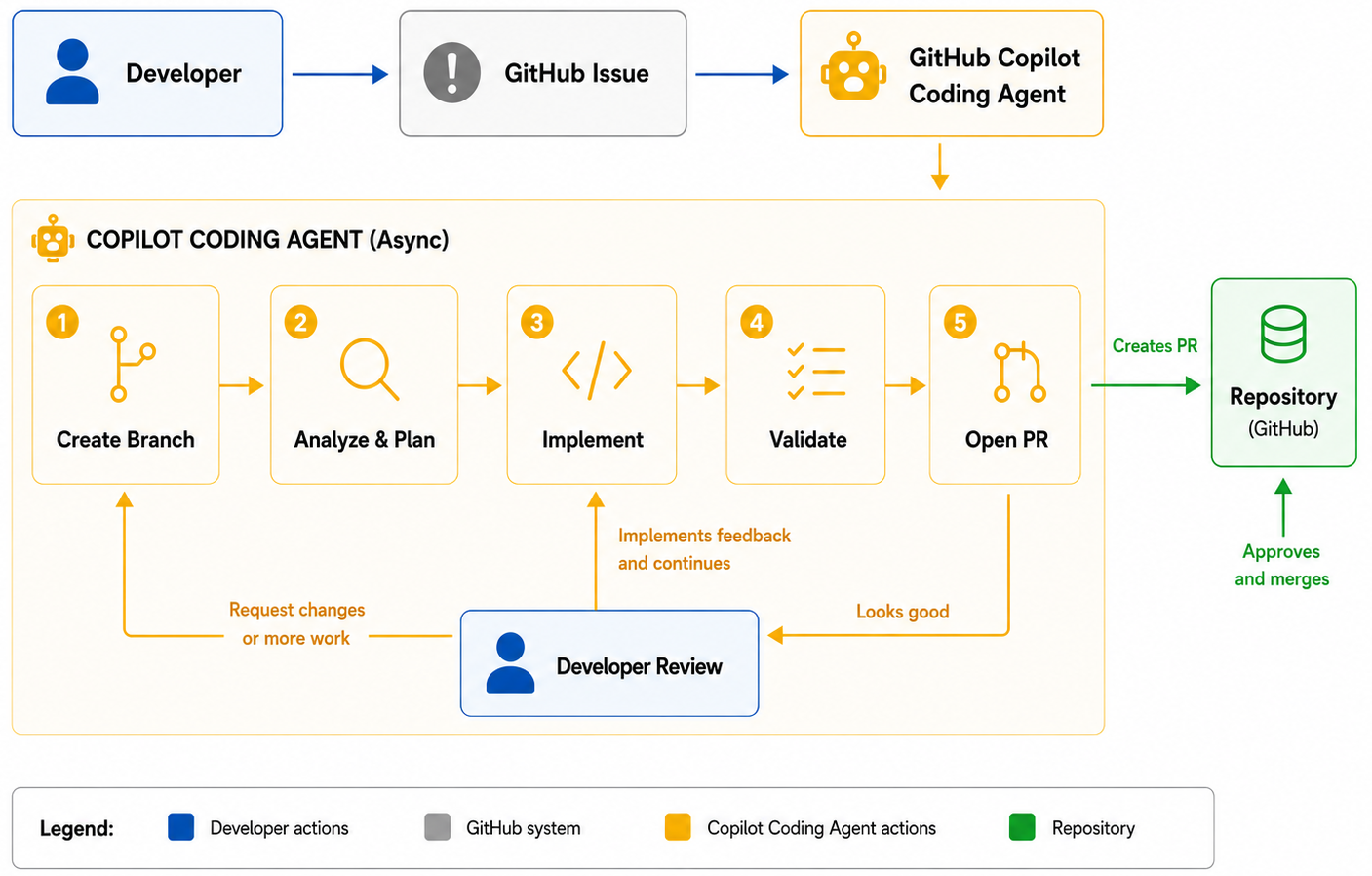
What can it do?
The Coding Agent is well suited for:
- Implementing new features
- Fixing bugs
- Refactoring existing code
- Adding or updating tests
- Improving documentation
- Performing routine maintenance tasks
Why use it?
Unlike Agent Mode, which works interactively inside your IDE, the Coding Agent runs asynchronously on GitHub. It can continue working in the background while you focus on other development tasks. Because every change is delivered through a standard pull request, your existing review process, branch protections, and approval workflow remain unchanged. When combined with Model Context Protocol (MCP), the Coding Agent can also use project-specific tools and external data sources to produce more accurate, context-aware solutions.
GitHub
Copilot
Agent
AI
Automation
Referenced in:
Comments